
End-user guide
How to use the Cyber Health Check
A short, free survey that shows small organisations where their cyber risk sits — no jargon, no audit, and nothing technical to answer. It works best when several people from your organisation each answer independently.
What you'll need
- A mobile number — we text a one-time code to confirm it's really you.
- An email address — we email a confirmation link you tap once.
- About 10 minutes per person. The survey adapts and gets shorter the stronger your setup is.
- Your ABN (organisers, optional) — lets us confirm you against the Australian Business Register.
Your individual answers stay private. The organiser sees who has finished, never anyone's actual responses.
For organisers
Register, invite your team, and track who's finished.
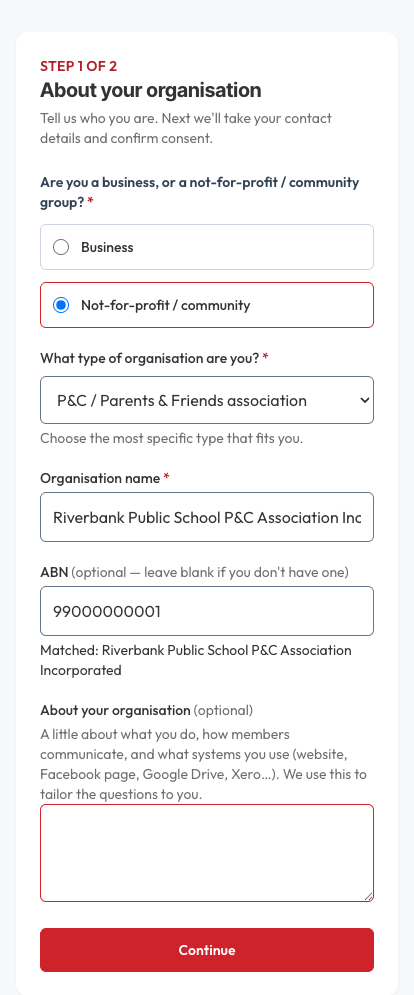
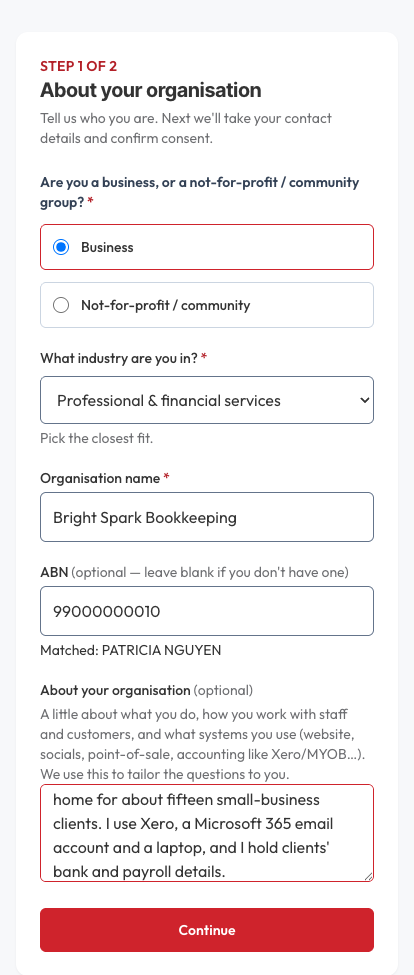
1. Tell us about your organisation
Choose business or not-for-profit / community group, pick your type, name your organisation, and — if you have one — enter your ABN. We check it live and show the matched name.
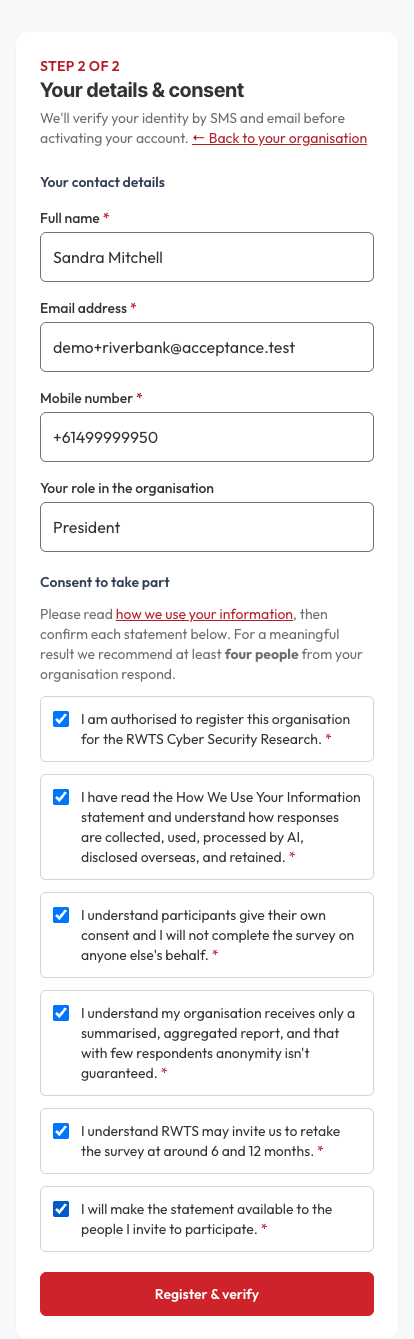
2. Your details and consent
Enter your name, email and mobile, and confirm the consent items — that you're allowed to register the organisation and understand how responses are handled.
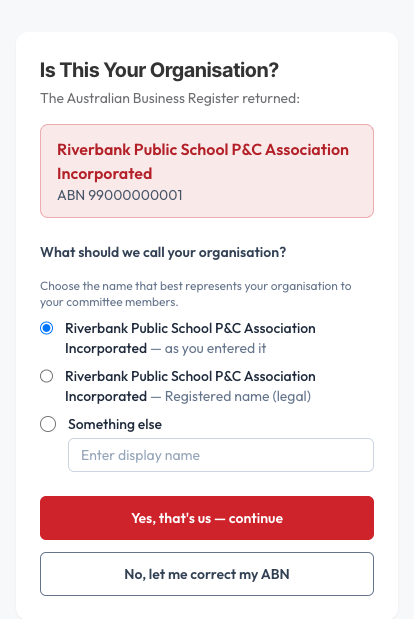
3. Confirm your organisation
We show the name the business register returned so you can confirm it's really you, and choose the name your committee will recognise.
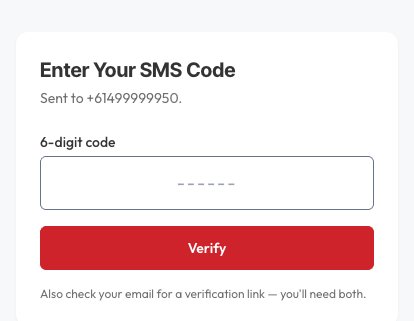
4. Confirm it's you
Enter the 6-digit code we text you, then open the email we send and tap the link. Once both are confirmed, your organisation is activated.
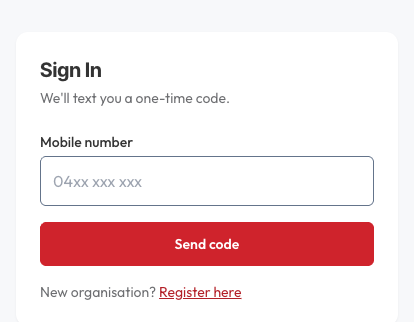
5. Sign in
From now on, signing in is just your mobile number and a one-time code — no password to remember.
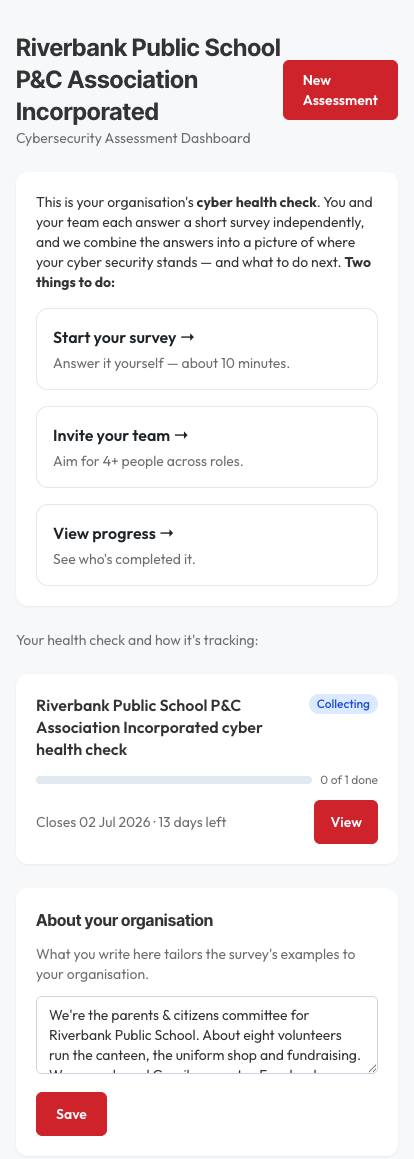
6. Your dashboard
Two things to do: answer the survey yourself, and invite your team. The dashboard also shows how your health check is tracking.
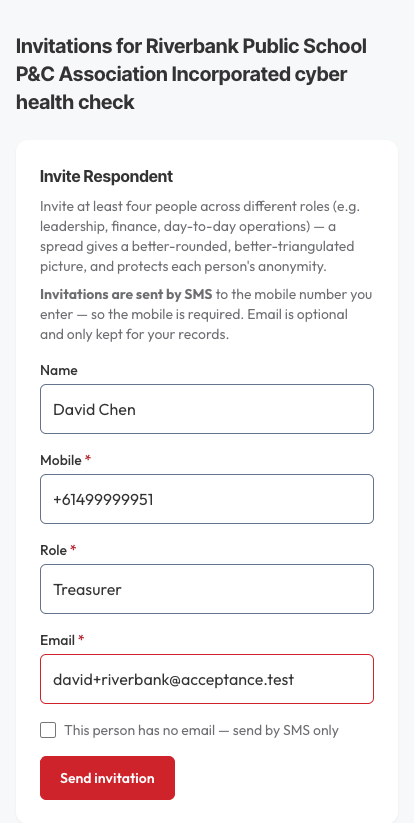
7. Invite your team
Add people one at a time — name, mobile, role, email. Each gets a text and an email with a secure link. Aim for at least four people across different roles.
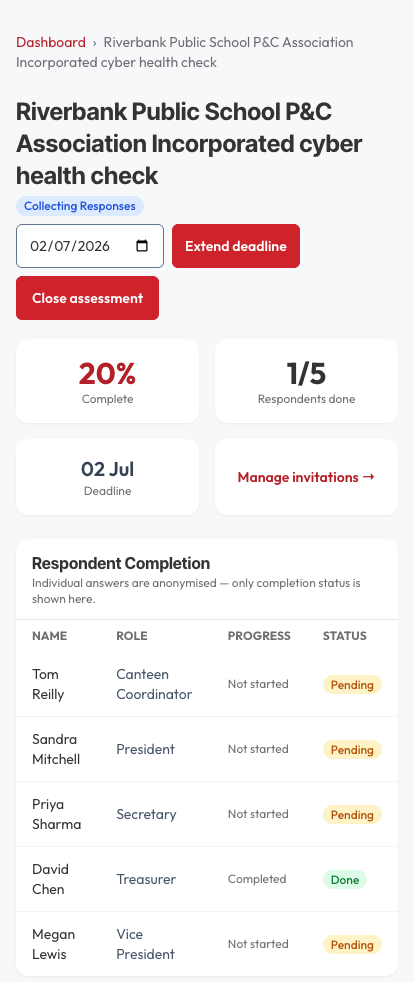
8. Track who's finished
The completion tracker shows each person's status — not their answers. Individual responses stay private; you only ever see whether someone has finished.
If you're a small business
Choose Business at the start and you'll be asked for your industry, with questions framed around staff, customers and clients rather than members and committees. Everything else works the same way.
For committee & team members
You got a text — here's how to answer. No account or password needed.
1. Open the link and confirm it's you
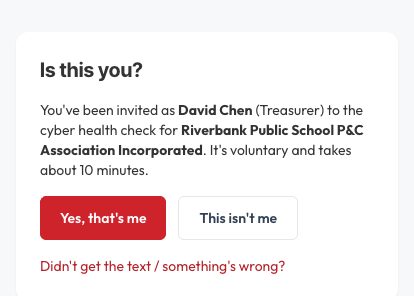
Tap the link in the text message. You'll see a simple “Is this you?” screen — we don't send a code until you confirm the invitation was meant for you.
2. Sign in with a code
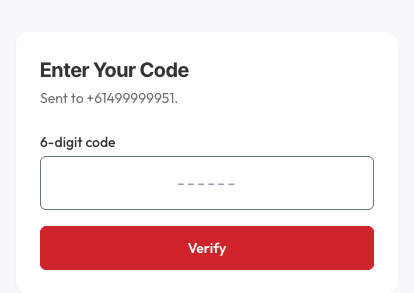
Tap Yes, that's me and we'll text you a 6-digit code. Enter it to continue.
3. Confirm your email
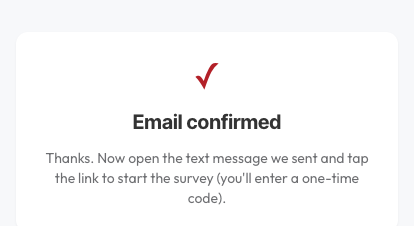
Open the email we sent and tap Confirm this email address. Then come back — you're in.
4. Agree to take part
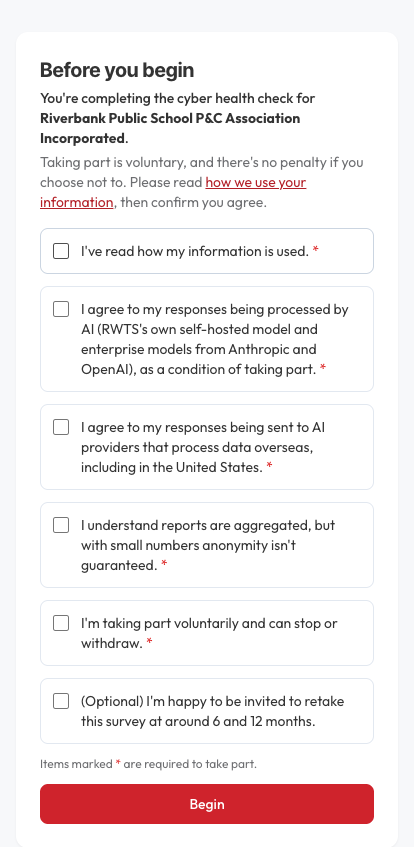
A short consent screen explains that taking part is voluntary and how your answers are used. Confirm the items to begin.
5. Answer the questions
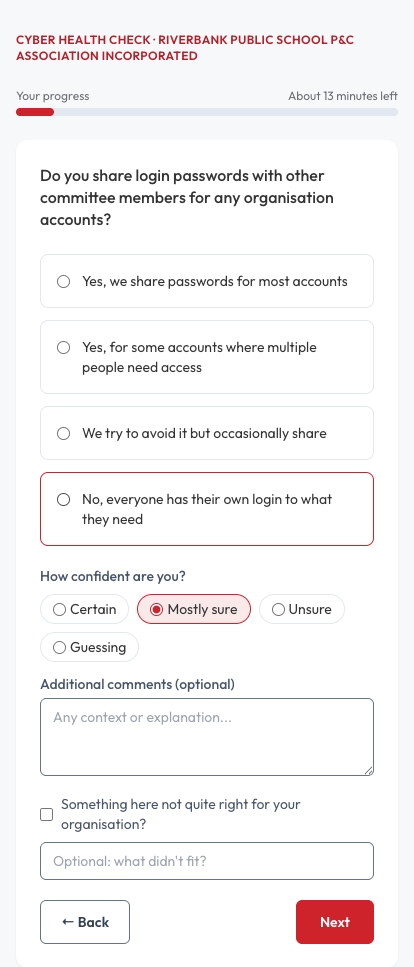
One question per screen, about what you actually do. Give your answer, say how sure you are, and add a note if you like. There are no wrong answers — if you're guessing, say so.
6. You're done
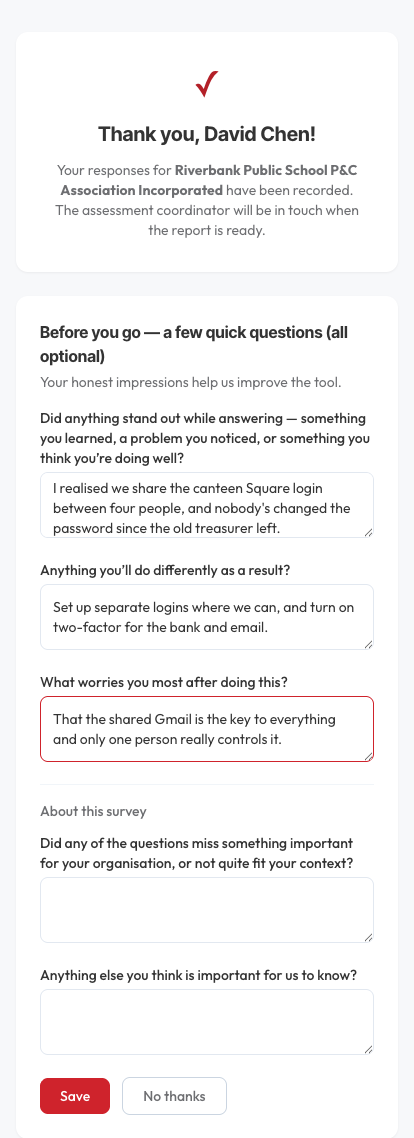
At the end there's a thank-you screen and a few optional reflection questions. You can skip them, but most people find them worth a moment.
Questions people ask
- I didn't get the text
- Check your organiser has your correct mobile. The "Is this you?" screen has a "Didn't get the text / something's wrong?" link to flag it. Organisers can resend or edit an invitation.
- The link says it's for someone else
- A number was mistyped. Tap This isn't me — no code is sent, so a wrong number can't strand anyone or leak a code. Let your organiser know.
- Can I change an answer?
- Yes — while you're in the survey, use Back to return to an earlier question.
- Who sees my answers?
- Only the combined, organisation-level picture is shared. Your organiser sees that you've finished, never what you chose.
- How many people should take part?
- Aim for at least four, across different roles — the point is to combine several viewpoints, not rely on one.
Need a hand? Call us on 1300 798 718.